Three products for the WordPress block editor.
WPE Micro Kits is a catalog of small plugins for Gutenberg. WPE Kits Pattern Library is a single plugin for browsing and reusing block patterns. WPE Photo Competition runs a complete photo contest on your site. They ship independently and work together.
Micro Kits
WPE Micro Kits
104 single-purpose plugins that add blocks and settings to Gutenberg, installed and updated from one screen.
- 40 add new blocks
- 25 extend core blocks
- 10 categories
- One client plugin
Pattern Library
WPE Kits Pattern Library
A premium library of ready-made Gutenberg patterns with an in-editor browser, local saving and cloud sync.
- Pattern browser in the editor
- Save selection as pattern
- Publish or draft
- Cloud sync
- Free, Pro or Lifetime
New · Photo Competition
WPE Photo Competition
Run a photo contest on WordPress: entries, moderation, fair public voting, finalists, winners and certificates.
- Entries with Google or Facebook sign-in
- Voting with anti-fraud checks
- 12 blocks + Elementor widgets
- From $29 per year
Micro Kits
WPE Micro Kits
104 single-purpose plugins that add blocks and settings to Gutenberg, installed and updated from one screen.
Two kinds of kits
New blocks
Kits that register a block that doesn't exist in core.
Enhancers for core blocks
Kits that add a settings panel to a block that's already in Gutenberg.
Featured kits
The micro-kits catalog
Search by name, slug, summary, description or tag; filter by category and kind. The WPE Kits Pattern Library and the client/server platform plugins are a separate product, shown below and in "How Micro Kits are installed".
No kits match that search. Try a different word or clear the filter.
- CPT Manager & Analyzer
cpt-manager-analyzerEditor & admin tools — Analyzes and migrates post types, taxonomies and post meta, including orphaned data. - Simple Equal Height Grid Card
wpe-equal-heightLayout & responsive — Directly injects CSS so grid/card items in a layout share equal heights. - WPE - Enhanced Typography Orientation
wpe-typography-orientationMedia & galleries — Adds Rotate Up and Upside Down text-orientation options missing from core Typography Orientation. - WPE ACF Language List
wpe-acf-language-listContent & data blocks — Displays an ACF repeater/group language field as an inline or stacked list of links. - WPE Analytics
wpe-analyticsSite operations — First-party analytics: geolocation, bot/AI detection, heatmaps, link tracking, A/B tests. - WPE Animate
wpe-animateMedia & galleries — Adds animate.css scroll/viewport animations to core WordPress blocks. - WPE Archive Years
wpe-archive-yearsContent & data blocks — Clickable list of publication years for a custom post type, for year-based archives. - WPE Aside Menu
wpe-aside-menuNavigation & menus — Renders a WordPress navigation menu as a collapsible tree-style side menu block. - WPE Backup
wpe-backupSite operations — Backs up, migrates and pushes/pulls the WordPress database between sites via REST API. - WPE Block Attributes
wpe-block-attributeEditor & admin tools — Lets editors add flexible custom HTML attributes to core WordPress blocks. - WPE Block Footnote
wpe-block-footnoteContent & data blocks — Adds a popover footnote formatting option to selected text in the block editor. - WPE Block Link
wpe-block-linkLayout & responsive — Turns Group, Row, Column, Columns, Stack and Grid blocks into clickable links. - WPE Block Meta
wpe-block-metaContent & data blocks — Displays any post meta value, including ACF fields, with formatting and download-button styling. - WPE Block User
wpe-block-userContent & data blocks — Displays a WordPress user field or user meta value with a dropdown field picker. - WPE Breadcrumbs
wpe-breadcrumbsContent & data blocks — Registers a breadcrumb navigation block supporting all post types, archives, and custom dividers. - WPE Button Icon
wpe-button-iconMedia & galleries — Adds configurable icons and hover styling to the core Button block. - WPE Button Link
wpe-button-linkLayout & responsive — Extends the Button block to automatically link to the current post's permalink inside a Query Loop. - WPE Canvas SUTPP
wpe-canvas-sutppClient-specific — Interactive Fabric.js canvas block built for the SUTPP site's impact scene. - WPE Career Jobs
wpe-careerClient-specific — Lists CIFOR-ICRAF job openings with filters, facets and pagination. - WPE CF Sidemenu
wpe-cf-sidemenuNavigation & menus — Renders a collapsible tree sidebar menu from Carbon Fields postmeta or a stored option. - WPE CIFOR Bot
wpe-botClient-specific — Admin CRUD screen for managing the CIFOR-ICRAF Board of Trustees table. - WPE CIFOR Projects
wpe-cifor-projectsClient-specific — Lists CIFOR-ICRAF projects fetched from the CIFOR Projects API in list or grid layout. - WPE Column Manager
wpe-column-managerEditor & admin tools — Configures which columns, filters and sort options appear on any CPT's admin list table. - WPE Core Skin
wpe-coreskinSite operations — Whitelabels the wp-admin appearance with a chosen color skin, logos and favicon. - WPE CoreX
wpe-corexSite operations — Toolkit of togglable WordPress core enhancements: content, features, login security and performance. - WPE Counter Number
wpe-counter-numberContent & data blocks — Animates numbers in core Paragraph and Heading blocks as they scroll into view. - WPE Cover Postmeta
wpe-cover-postmetaMedia & galleries — Lets the core Cover block pull its background image from a post-meta field instead of a fixed image. - WPE CSS & JS Injector
wpe-cssjsEditor & admin tools — Lets editors add custom CSS/JS scoped to specific pages, posts, post types, or IDs. - WPE DACE API Content Builder
wpe-apidaceAPIs & external data — Displays and filters content pulled from the DACE API with configurable templates and layouts. - WPE DB Adminer
wpe-db-adminerSite operations — Micro database manager for the site's MySQL database, powered by Adminer. - WPE Diagram TM
wpe-diagram-tmMaps & data viz — Gutenberg block for an outer diagram box with configurable dots, an image, and a title. - WPE Edit Language Indicator
wpe-edit-lang-indicatorEditor & admin tools — Shows the WPML language currently being edited in the block editor's Document panel. - WPE Enhance Menu
wpe-enhance-menuNavigation & menus — Professional styling for the core Navigation block with 3-level submenus and active-state detection. - WPE Enhanced Column Direction Settings
wpe-column-directionLayout & responsive — Adds per-breakpoint direction controls (row/column) to the core Columns block. - WPE Enhanced Quote Block
wpe-enhanced-quote-blockContent & data blocks — A Gutenberg quote block with 6 style variations, an author image, and typography controls. - WPE Event Manager
wpe-event-managerEvents & competitions — Headless event-management system for academic/research organizations, with 17 display blocks. - WPE Event Session Router
wpe-event-sessionClient-specific — Session URL routing and rendering under an event, replacing legacy CIFOR-ICRAF templates. - WPE External Data
wpe-external-dataAPIs & external data — Single block that displays data pulled from external APIs (GLF Carousel, GLF News, CIFOR Projects). - WPE Extracode - Custom Code Inserter
wpe-extracodeEditor & admin tools — Inserts custom code (JS, CSS, PHP) into the head section and right after the opening head tag. - WPE FACT Dialogue
wpe-fact-dialogueClient-specific — Interactive FACT Dialogue diagram block with an SVG donut chart and ReactFlow connections. - WPE Featured Content
wpe-featured-contentAPIs & external data — Featured-content block mixing CPT posts, DACE API items and manual entries via templates. - WPE File Manager
wpe-file-managerSite operations — Micro file manager for the WordPress install, powered by Tiny File Manager. - WPE Flickr
wpe-flickrMedia & galleries — Loads and displays Flickr albums and photos as Gutenberg blocks with archive/single views. - WPE Font Optimizer
wpe-font-optimizerSite operations — Optimizes loading of the Cera Pro font family: preload, font-display swap, and fallback metrics. - WPE Fotos
wpe-fotosEvents & competitions — Photo competition system: social login, per-day voting, email verification, display blocks. - WPE Fotos - Digital Certificates Addon
wpe-fotos-certificatesEvents & competitions — Certificate generator for WPE Fotos with a drag-and-drop designer and public verification. - WPE Fotos Demo
wpe-fotos-demoEvents & competitions — Generates demo/seed data for WPE Fotos via a 'Build Demo Data' tool. - WPE Fotos Elementor
wpe-fotos-elementorEvents & competitions — Elementor compatibility layer for WPE Fotos, converting its Gutenberg blocks into Elementor widgets. - WPE Fotos Importer
wpe-fotos-importerEvents & competitions — Imports finalist data from a CSV file into the WPE Fotos database. - WPE Fotos Multi-Contest Addon
wpe-fotos-multi-contestEvents & competitions — Adds multi-contest support to WPE Fotos so a site can run multiple photo competitions at once. - WPE FSE Manager
wpe-fse-managerEditor & admin tools — Admin toolkit for managing FSE patterns, templates, template parts, global styles, and fonts. - WPE Fullscreen Glass Menu
wpe-fullscreen-menuNavigation & menus — Fullscreen modal navigation menu with a glass-blur effect and accordion-style collapsible submenus. - WPE Gallery Core
wpe-gallery-coreMedia & galleries — Advanced gallery block with masonry, justified, tiles, grid, and carousel layouts. - WPE Glass Search
wpe-glass-searchNavigation & menus — Fullscreen glass-blur search popup opened by clicking any trigger element. - WPE GLF Carousel
wpe-glf-carouselAPIs & external data — Displays Global Landscapes Forum Carousel API highlights in list or grid mode. - WPE Icons
wpe-iconsContent & data blocks — Centralized SVG icon library and icon blocks shared with other WPE Kits plugins. - WPE Iframe Resizer Guest
wpe-iframe-resizer-guestSite operations — Reports page content height to a parent iframe host for seamless auto-resize. - WPE Iframe Resizer Host
wpe-iframe-resizer-hostSite operations — Auto-resizes embedded iframes to fit their content height, no scrollbars. - WPE Image Overlay Map
wpe-image-overlay-mapMaps & data viz — Interactive Leaflet map block that overlays a custom image on a geographic bounding box. - WPE Image Size Control
wpe-image-size-controlLayout & responsive — Adds manual width and height fields to the core Image block. - WPE Infographic Circle Diagram
wpe-infographic-circleMaps & data viz — SVG donut-chart infographic block with interactive segment connections and a mobile card view. - WPE Instafy
wpe-instafyAPIs & external data — Pulls Instagram posts, carousels and reels from multiple accounts via Apify. - WPE InstaSlider
wpe-instasliderMedia & galleries — Splide-powered carousel that displays Instagram posts pulled by WPE Instafy. - WPE JREDD
wpe-jreddClient-specific — Loads Inter webfonts and mirrors page CSS into the block editor for the JREDD CLUA+ landing page. - WPE LA Staff Research
wpe-la-staff-researchClient-specific — Staff custom post type and a selectable staff grid block for Landscape Alliance. - WPE Language Menu Block
wpe-language-menu-blockNavigation & menus — WPML language switcher block with dropdown/list display and alphabetical sorting. - WPE Line Divider
wpe-line-dividerLayout & responsive — Adds a vertical/horizontal divider line between items in Columns and Group (Grid) blocks. - WPE List Enhancer
wpe-list-enhancerContent & data blocks — Adds 10 predefined styles and a custom icon browser to the core List block. - WPE Local Apidace
wpe-local-apidaceAPIs & external data — Mirrors DACE API records into a local CPT with cron sync, dedup and a query-builder block. - WPE Map GeoJSON
wpe-map-geojsonMaps & data viz — Interactive Leaflet map block driven by a GeoJSON country dataset, with sidebar and EU overlay. - WPE Media Coverage
wpe-mediacoverageAPIs & external data — Displays media coverage records from a custom network-shared table as a grid + detail page block. - WPE Media Coverage Importer
wpe-media-coverage-importerClient-specific — Imports media coverage records from an Excel file into the media-coverage CPT with ACF fields. - WPE Media Embed
wpe-media-embedMedia & galleries — Media embed block with a CSS-only picture-in-picture mode and optional post-meta source. - WPE Media Upload Extender
wpe-media-upload-extenderEditor & admin tools — Enables extra file types (MP4, SVG, WebP and 70+ more) in the WordPress media uploader. - WPE Mega Menu
wpe-megamenuNavigation & menus — Full-width mega-menu dropdown block that plugs into the core Navigation block. - WPE Migrate Cek
wpe-migrate-cekClient-specific — Shortcode + block utilities for migrating legacy CIFOR-ICRAF functions to a portable format. - WPE Multi Mode Gallery
wpe-gallerymodeMedia & galleries — Displays images in multiple gallery modes: grid, Pinterest-style, carousel, slideshow, and more. - WPE Multi Sidemenu
wpe-multi-sidemenuNavigation & menus — Collapsible tree side-menu block that stores its menu data inline in the block attributes. - WPE Multilang
wpe-multilangNavigation & menus — Lightweight multilanguage: per-block visibility, URL prefixes, hreflang, switcher block. - WPE Photo Profile
wpe-photo-profileEditor & admin tools — Replaces the WordPress Gravatar with a custom profile picture uploaded via the Media Library. - WPE Popup Modal
wpe-popup-modalContent & data blocks — Popup modal block with configurable triggers, positioning, and styling. - WPE Position Block
wpe-position-blockLayout & responsive — Adds absolute/fixed/sticky positioning controls to Group, Columns, Grid, Row and Stack blocks. - WPE Postmeta Inspector
wpe-postmeta-inspectorEditor & admin tools — Quick-inspect every postmeta value of the current post from an admin-bar drawer. - WPE Project Map
wpe-project-mapMaps & data viz — Interactive Leaflet map block that plots projects per country with a searchable side panel. - WPE Query Builder
wpe-querybuilderContent & data blocks — Advanced query/grid block with ACF-aware filtering, faceted search, carousels and pagination. - WPE Resources
wpe-resourcesContent & data blocks — Resource library custom post type with FSE block templates that vary by taxonomy term. - WPE Responsive Columns
wpe-responsive-columnsLayout & responsive — Per-column responsive widths for core/column on desktop, tablet, mobile and custom breakpoints. - WPE Responsive Grid
wpe-responsive-gridLayout & responsive — Manual responsive column-count control for the core Grid block (Desktop, Tablet, Mobile). - WPE Rotator
wpe-rotatorContent & data blocks — Shows one child of a container at a time, picked by visitor region/country or on a timer. - WPE Shape Divider Block
wpe-shape-divider-blockLayout & responsive — Adds SVG shape dividers (waves, tilts, curves) between page sections. - WPE Share Block
wpe-share-blockContent & data blocks — Social share buttons block with customizable icons, labels and an expandable "More" section. - WPE Shortcode Output Cleaner
wpe-shortcode-cleanerEditor & admin tools — Strips empty <p></p> and stray <br> tags left behind by shortcode output and wpautop. - WPE Single Code Inserter
wpe-block-single-code-inserterEditor & admin tools — Adds a Gutenberg sidebar panel for injecting custom JavaScript and CSS per post or page. - WPE Site Title
wpe-site-titleEditor & admin tools — Rewrites the document title for the homepage and other pages with per-condition formats. - WPE Slider Block
wpe-slider-blockMedia & galleries — Content slider block with multiple slide types, autoplay, transitions and a content overlay. - WPE Splide Block Enhancer
wpe-splide-block-enhancerMedia & galleries — Turns Group, Row, Stack, Grid and Query Loop blocks into Splide.js sliders. - WPE Swiper Block Enhancer
wpe-swiper-block-enhancerMedia & galleries — Turns Group, Row, Stack, Grid and Query Loop blocks into Swiper.js sliders. - WPE Tabs & Collapse Block
wpe-tabs-collapseContent & data blocks — Tabs and accordion/collapse block with rich per-tab content, icons and theming. - WPE Template Switcher
wpe-template-switcherSite operations — Lightweight block-editor template switcher plus a bulk template-assignment admin page. - WPE Trustees
wpe-trusteesContent & data blocks — Board of Trustees grid and detail view from a custom table, multilingual and multisite-aware. - WPE Vars
wpe-varsAPIs & external data — Block that displays query-string, WP query var and DACE pipeline values with formatting. - WPE Visibility
wpe-visibilityEditor & admin tools — Show or hide any block by URL, role, language, screen size, schedule, post meta or taxonomy. - WPE WPML Switcher
wpe-wpml-switcherNavigation & menus — Gutenberg language-switcher block plus per-block visibility by language for WPML sites. - WPE YouTube Modal
wpe-youtube-modalMedia & galleries — Auto-detects YouTube links on the page and opens them in a fullscreen glass-blur modal.
WPE Kits - Premium Gutenberg Patterns wpekits — Pattern library manager for Gutenberg with a REST API, cloud sync and license-gated Pro features.
Pattern Library
WPE Kits Pattern Library
A premium library of ready-made Gutenberg patterns with an in-editor browser, local saving and cloud sync — a separate product from WPE Micro Kits.
A top-level WPE Kits admin screen and an in-editor pattern browser let editors search, preview and insert curated block patterns, save the current selection as a new local pattern, and publish, unpublish or delete saved patterns. It syncs to api.wpekits.com over its own REST API, storing patterns and sync state in dedicated database tables with an async sync queue.
What it does
- Pattern browser and inserter inside the block editor
- Save the current selection as a new local pattern
- Local pattern storage with categories, tags, theme, style and color metadata
- Publish / draft status and per-pattern download tracking
- Cloud sync to api.wpekits.com via an async queue
- Domain-bound license verification gating Free / Pro / Lifetime plan features
How the Pattern Library works
-
1
Install the WPE Kits plugin
One plugin, separate from WPE Micro Kits. It adds a top-level
WPE Kitsadmin screen. -
2
Browse and insert patterns in the editor
Search, preview and insert curated block patterns straight from the block inserter.
-
3
Save your own, publish or draft
Turn any selection into a local pattern, then publish it, keep it as a draft, or delete it.
-
4
Sync with api.wpekits.com
An async queue syncs patterns and sync state to the cloud so they follow your account.
New · Photo Competition
WPE Photo Competition
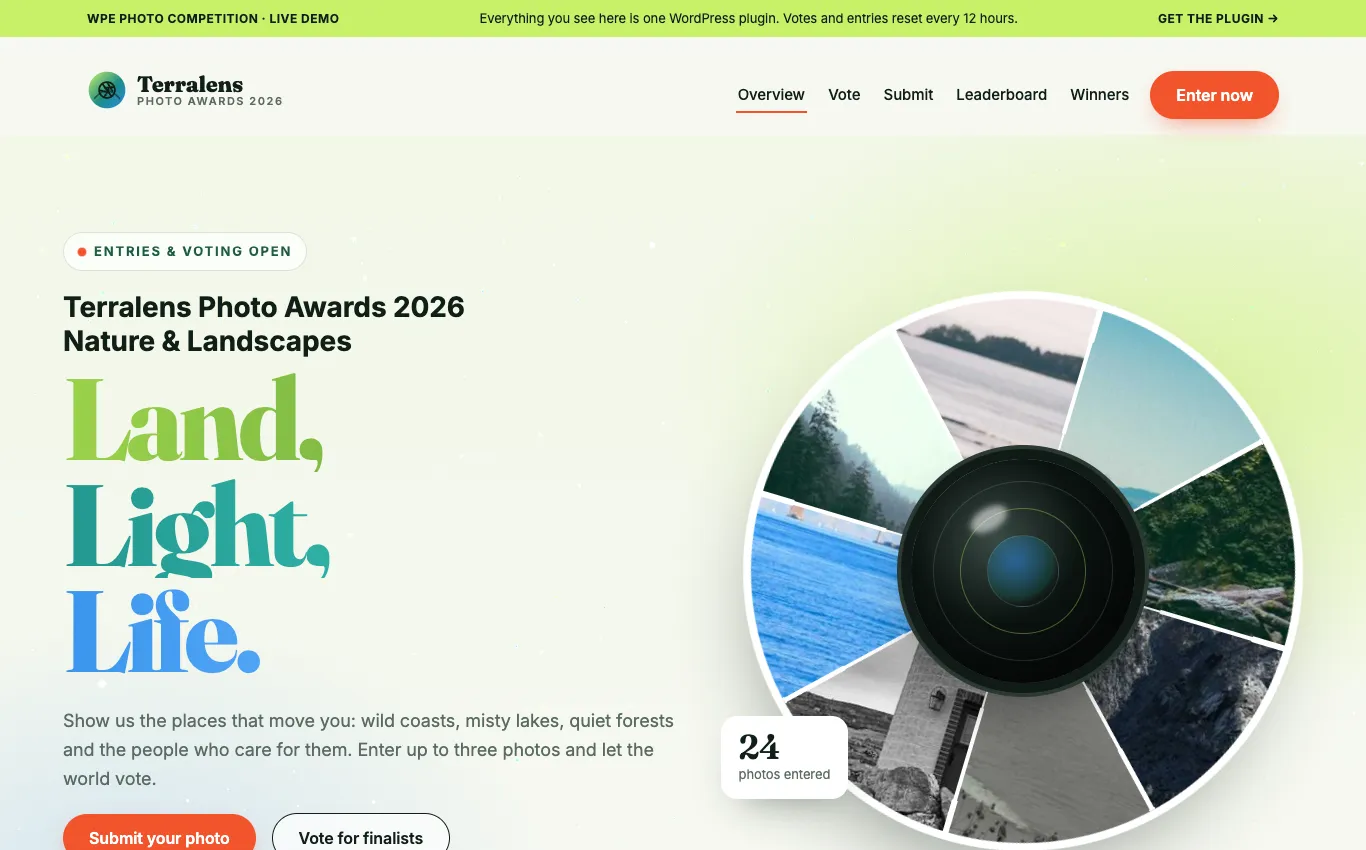
Everything a photo contest needs, inside WordPress: submissions, moderation, public voting that resists cheating, finalists, winners and certificates.
- Entries with title, caption, credit and location, in several languages
- Sign in with Google or Facebook; approve, reject or bulk-moderate entries
- Daily vote limits, one vote per photo, bot and duplicate detection
- Phase timeline, finalists, winner showcase, leaderboard and photo marquee
- Digital certificates, multi-contest, CSV import and Elementor widgets included
- Automatic updates with a license key; every feature works without one
1 site $29 · 5 sites $69 · Unlimited $149 per year, updates and support included
Which one do you need?
| Micro Kits | Pattern Library | Photo Competition | |
|---|---|---|---|
| What it is | 104 small, single-purpose plugins | One pattern-library plugin | One photo-contest plugin with built-in modules |
| What you install | Only the kits you need, via the client plugin | A single plugin: WPE Kits | A single plugin: WPE Photo Competition |
| What editors get | New blocks and settings panels on core blocks | A pattern browser and inserter in the editor | Contest blocks, admin dashboard, voting and emails |
| Typical use | Extend what the editor can do | Reuse ready-made layouts fast | Run a photo competition end to end |
| Access | Per-site API key via api.wpekits.com | Free, Pro or Lifetime license key | Yearly license from $29, bought online |
They run side by side on one site.
Micro Kits
How Micro Kits are installed
-
1
Install WPE Micro Kits Client
One plugin on your WordPress site (the
wpe-micro-kits-clientplatform plugin). It adds a Micro Kits menu in wp-admin and talks towpe-micro-kits-serverrunning on api.wpekits.com. -
2
Connect it to api.wpekits.com
Paste your API key. The client authenticates against the server and lists every kit you have access to.
-
3
Enable kits per site
Toggle kits from the Micro Kits screen, or from WP-CLI:
wp eval '$pm = new \WPEMicroKitsClient\Services\PluginManager(); $pm->enablePlugin("wpe-visibility");'Updates are pulled from the API. Each kit is versioned and released from its own Git repository via CI. WPE Kits Pattern Library is installed separately — see below.
Built in production
WPE Micro Kits runs across CIFOR-ICRAF, Landscape Alliance and Global Landscapes Forum WordPress properties — built and maintained by WordPress Expert Studio, the engineering studio behind wpekits.
FAQ
What is the difference between WPE Micro Kits and the WPE Kits Pattern Library?
They are two separate products. WPE Micro Kits is a catalog of 104 small plugins, each adding one block or one settings panel to Gutenberg. WPE Kits Pattern Library is one plugin: a browser of ready-made block patterns you insert and adapt, with local saving, publish/draft status and cloud sync. You can install either on its own, or run both on the same site.
Is this a page builder?
No. Everything is native Gutenberg — new blocks and settings on core blocks, no page-builder canvas or shortcodes.
Does disabling a kit break my content?
Most kits render at output time, so disabling them is safe. A handful write settings into the saved block markup — deactivate those with care.
Can I use one kit only?
Yes. Each kit is a standalone plugin — install only the ones you need.
Does it work with any theme?
Block themes work best. Classic themes are supported for most kits.
How do I get access?
Request access by email. We set up an API key for your account and connect your first site.
Is the source open?
The repositories are private. Kits are delivered through the API with a per-site key.
Request access
Three separate products. Request access to Micro Kits or the Pattern Library, or buy Photo Competition online.
Micro Kits
WPE Micro Kits
We set up your API key and connect your first site.
Pattern Library
WPE Kits Pattern Library
We set up your license key on the Free, Pro or Lifetime plan.
Photo Competition
WPE Photo Competition
Pick a plan online; your license key arrives by email.